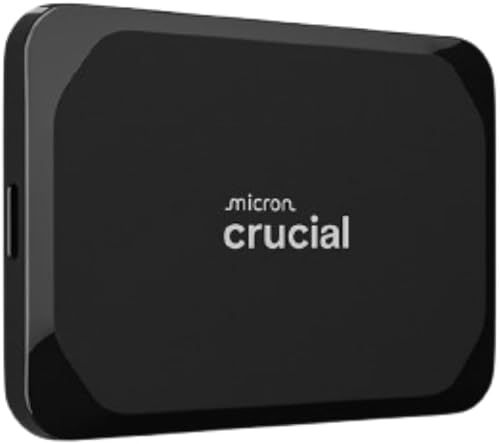
Samsung T9 vs SanDisk Extreme vs Extreme PRO vs WD My Passport: fastest portable SSDs
By Getfindsy Editorial Team · Updated · How we compare
As an Amazon Associate, Getfindsy earns from qualifying purchases. Prices and availability are accurate as of the date shown and are subject to change.
Compare features, use cases and price tiers below. Our recommendations are editorial comparisons; we have not independently tested these models. Amazon links open the listing we matched to each product (or a search for the model), so check the exact size, color and bundle before buying. Shipping and import costs vary by address.
Our top 3 picks
#1 · Best for
Video editors on Windows PCs with a 20 Gbps USB port
Samsung T9 Portable SSD 2TB✓ Up to 2,000 MB/s read and write
Trade-off: Full speed only on a USB 3.2 Gen 2x2 port (not Macs)
Check price on Amazon#2 · Best for
A rugged everyday drive from the best-known memory brand
SanDisk Extreme Portable SSD 2TB (2026 model)✓ Up to 2,000 MB/s listed
Trade-off: Top speed needs a fast port
Check price on Amazon#3 · Best for
The fastest portable drive for new laptops with USB4 or Thunderbolt
SanDisk Extreme PRO Portable SSD 2TB (2026 model)✓ Up to 4,000 MB/s read listed
Trade-off: The most expensive of the four
Check price on Amazon
- Simple backups with password protection: WD My Passport SSD 2TB
Our readers' favorite portable SSD is the Samsung T7, at about 1,050 MB/s. If you edit video or move huge files every day, a newer drive can be two to four times faster, but only when your computer has the right port.
We compared Samsung's T9, SanDisk's new Extreme and Extreme PRO, and WD's My Passport SSD as the simple backup option.
Side-by-side comparison
| Product | Best for | Price tier | Read speed (up to) | Connection | Full speed needs | Step down | Buy |
|---|---|---|---|---|---|---|---|
 Samsung T9 Portable SSD 2TB | Video editors on Windows PCs with a 20 Gbps USB port | Premium | 2,000 MB/s | USB 3.2 Gen 2x2 (20 Gbps), USB-C | A 20 Gbps USB port | Samsung T7 (1,050 MB/s) | See on Amazon |
 SanDisk Extreme Portable SSD 2TB (2026 model) | A rugged everyday drive from the best-known memory brand | Mid-range | 2,000 MB/s (listing) | USB-C (see the listing) | A 20 Gbps port (see the listing) | SanDisk Portable SSD (1,000 MB/s) | See on Amazon |
 SanDisk Extreme PRO Portable SSD 2TB (2026 model) | The fastest portable drive for new laptops with USB4 or Thunderbolt | Premium | 4,000 MB/s (listing) | USB-C (see the listing) | A 40 Gbps USB4 / Thunderbolt port | SanDisk Extreme (2,000 MB/s) | See on Amazon |
 WD My Passport SSD 2TB | Simple backups with password protection | Budget | 1,050 MB/s | USB 3.2 Gen 2 (10 Gbps), USB-C | Any 10 Gbps USB-C port | WD My Passport hard drive | See on Amazon |
#1 · Video editors on Windows PCs with a 20 Gbps USB port · Premium
Samsung T9 Portable SSD 2TB
The T9 is Samsung's step up from the T7: up to 2,000 MB/s read and write over USB 3.2 Gen 2x2, with a rubberized shell. On a Mac or a normal 10 Gbps port it runs at T7 speed, so it pays off only on a PC with a Gen 2x2 (20 Gbps) port.
What we like
- Up to 2,000 MB/s read and write
- Keeps its speed on long video copies
- Grippy, drop-resistant shell
Keep in mind
- Full speed only on a USB 3.2 Gen 2x2 port (not Macs)
- Costs more than the T7
- Read speed (up to)
- 2,000 MB/s
- Connection
- USB 3.2 Gen 2x2 (20 Gbps), USB-C
- Full speed needs
- A 20 Gbps USB port
- Step down
- Samsung T7 (1,050 MB/s)
#2 · A rugged everyday drive from the best-known memory brand · Mid-range
SanDisk Extreme Portable SSD 2TB (2026 model)
SanDisk's new Extreme Portable lists transfer speeds up to 2,000 MB/s. The Extreme line is the classic carabiner-loop drive photographers clip to a camera bag. Check the listing for the port it needs to reach that speed: on a regular 10 Gbps port it will be closer to 1,000 MB/s.
What we like
- Up to 2,000 MB/s listed
- Carabiner loop, made for the outdoors
- Very well-known brand
Keep in mind
- Top speed needs a fast port
- New model: fewer long-term reviews
- Read speed (up to)
- 2,000 MB/s (listing)
- Connection
- USB-C (see the listing)
- Full speed needs
- A 20 Gbps port (see the listing)
- Step down
- SanDisk Portable SSD (1,000 MB/s)
#3 · The fastest portable drive for new laptops with USB4 or Thunderbolt · Premium
SanDisk Extreme PRO Portable SSD 2TB (2026 model)
The new Extreme PRO lists read speeds up to 4,000 MB/s, about four times a T7, which needs a 40 Gbps port such as USB4 or Thunderbolt on recent Macs and laptops. It is the drive to pick if you edit 4K and 8K video straight from the SSD.
What we like
- Up to 4,000 MB/s read listed
- Edit video straight from the drive
- Rugged Extreme design
Keep in mind
- The most expensive of the four
- No speed gain on older 10 Gbps ports
- Read speed (up to)
- 4,000 MB/s (listing)
- Connection
- USB-C (see the listing)
- Full speed needs
- A 40 Gbps USB4 / Thunderbolt port
- Step down
- SanDisk Extreme (2,000 MB/s)
#4 · Simple backups with password protection · Budget
WD My Passport SSD 2TB
WD's My Passport SSD reads up to 1,050 MB/s, the same class as the Samsung T7, and adds hardware encryption with a password, which is handy for work files. It is the calm, no-fuss choice for Time Machine or Windows backups.
What we like
- Up to 1,050 MB/s read
- Password protection with hardware encryption
- Often on sale
Keep in mind
- Not faster than a T7
- No water or dust rating
- Read speed (up to)
- 1,050 MB/s
- Connection
- USB 3.2 Gen 2 (10 Gbps), USB-C
- Full speed needs
- Any 10 Gbps USB-C port
- Step down
- WD My Passport hard drive
The port decides the speed
A 10 Gbps USB-C port (USB 3.2 Gen 2, most laptops and all Macs before USB4) tops out around 1,050 MB/s: a T7 or My Passport is already maxing it out. 2,000 MB/s needs a 20 Gbps USB 3.2 Gen 2x2 port, common on Windows desktops and rare on laptops. 4,000 MB/s needs a 40 Gbps USB4 or Thunderbolt port, which recent Macs and premium laptops have.
Our verdict
Mac or recent laptop with USB4/Thunderbolt: the SanDisk Extreme PRO.
Windows PC with a 20 Gbps port: the Samsung T9 or SanDisk Extreme.
Only a regular 10 Gbps port: save money with the Samsung T7 or WD My Passport SSD.
Frequently asked questions
Is the Samsung T9 faster than the T7 on a Mac?
No. Macs do not have USB 3.2 Gen 2x2 ports, so the T9 runs at about T7 speed. A USB4 drive is the way to go faster on a Mac.
Specifications and features can change between model generations and bundles. Confirm the model number, warranty, seller and current price before ordering.
Keep shopping
Verify specifications with the manufacturer
Use these official sites to find the manual and specifications for the exact model in your Amazon listing.